我这里直接给出最精准、最快速、100% 解决方案!亲自实践出来,把遇到的问题及解决方法都写在这里,跟着操作就可以了。
一、系统环境(硬件与系统)
- 系统:Ubuntu 22.04 x86_64
- 硬件:12th Gen Intel® Core™ i5-12400 × 12;内存 :32GB
- wine版本: wine-11.0
因为不同的版本可能有点不太一样,主要就是兼容性的问题。跟着操作时,希望核对一下wine版本。
二、安装最新 Wine(WineHQ 官方源)
如果你已经跟着上一篇《ubuntu22.04轻松玩起QQ游戏欢乐斗地主,亲测有效》操作过,那么第二步可以省略了。
打开终端(Ctrl+Alt+T),依次执行:
- 启用 32 位架构
sudo dpkg --add-architecture i386
- 添加 WineHQ 源
wget -nc https://dl.winehq.org/wine-builds/winehq.key
sudo apt-key add winehq.key
sudo add-apt-repository 'deb https://dl.winehq.org/wine-builds/ubuntu/ jammy main'
- 更新软件列表
sudo apt update- 更新并安装 Wine 稳定版(当前 11.0)
sudo apt update
sudo apt install winehq-stable
三、启动游戏
下载游戏
魔兽争霸3冰封王座这是一款老游戏了,网上随便搜一下就有了,当年网吧这游戏非常火爆。我这里下载的是魔兽争霸3冰封王座中文版 v1.27a,解压到自己喜欢存放的目录即可。
swper@Mt:/data/Warcraft$ pwd            #这是我存放的目录
/data/Warcraft
可以先测试一下,wine是否可以直接运行游戏
cd /data/Warcraft
wine War3.exe -opengl
为什么加 -opengl?
- 魔兽 3 默认用 DirectX 8
- Wine 对老 DX8 兼容极差
- 加 -opengl 强制用显卡原生加速
直接跟着操作就好了,99% 直接进游戏!
如果可以进入游戏界面,那就说明成功了, 不用管shell中一行行的记录信息。如果是黑屏的话那就说明有问题了。正常来讲你的系统环境,游戏版本,wine版本一样的话是没问题的。
添加桌面启动图标
添加一个文件名为Warcraft.desktop ,保存在 /usr/share/applications/目录下,注意里面的游戏目录,自己改一下,还有就是icon图标,没有自己去网上下一个png的图标替换一下也可以。
cat /usr/share/applications/Warcraft.desktop
[Desktop Entry]
Type=Application
Name=Warcraft III
Icon=/data/Warcraft/war3.ico
GenericName=Warcraft III
Comment=Warcraft
Exec=wine "/data/Warcraft/War3.exe" -opengl
Terminal=false
Categories=Warcraft;GAME;
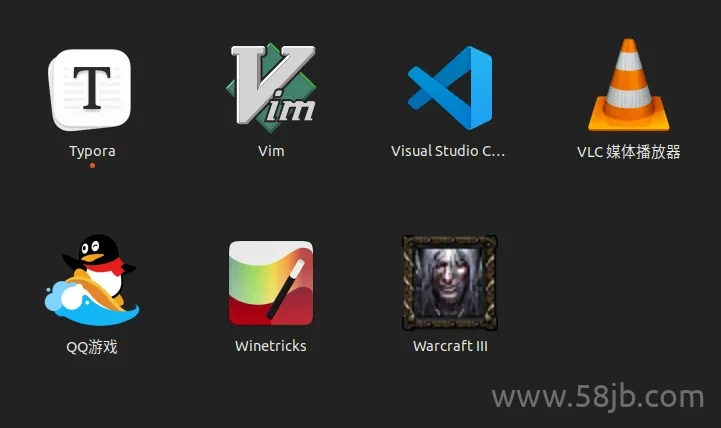
保存后可以看到效果图
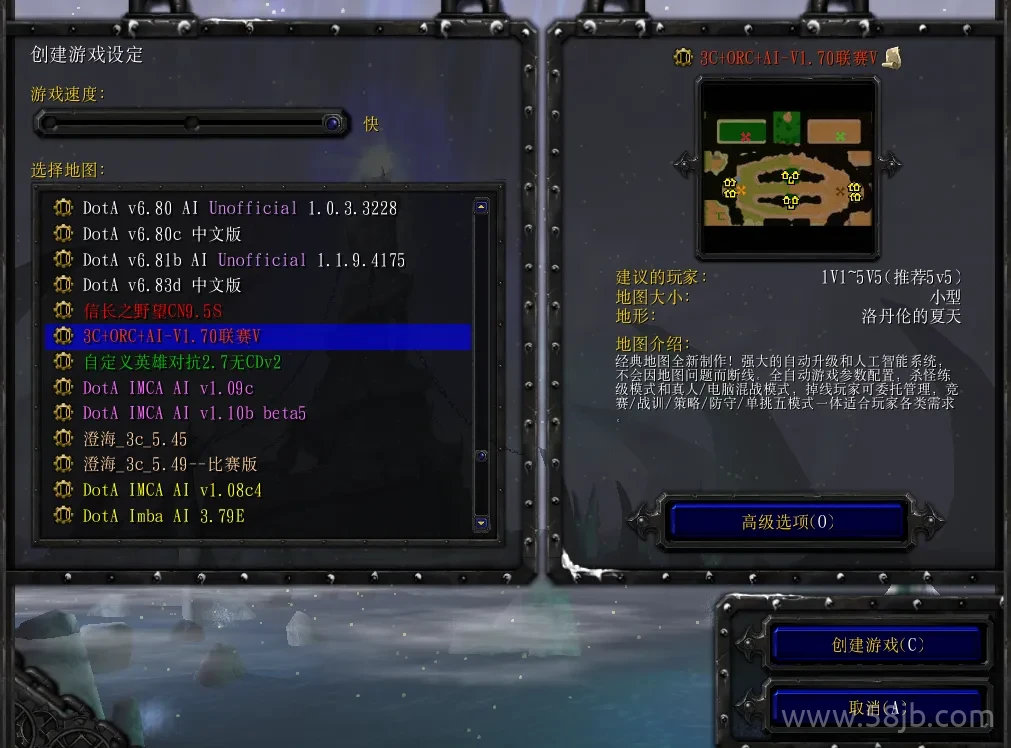
直接点击图标进入游戏即可畅玩了
问题总结
如果能成功进入游戏,但是退出后屏幕出现发白、过亮、泛白等情况
核心原因是:
魔兽 3 老引擎全屏 + OpenGL 会直接写显卡颜色寄存器
Wine 退出时没发 “还原颜色” 信号 → X11 一直保持游戏的高亮度 / 高对比
典型表现:桌面发白、图标发灰、黑色变成浅灰、看久刺眼
不用担心,立刻手动恢复(1 秒救屏)
打开终端,执行:
xrandr --output $(xrandr | grep " connected" | awk '{print $1}') --auto
或更简单:
xgamma -gamma 1.0
发白立刻消失。
如果遇到启动时异常,没有声音的话可以参考一下这步操作
wine "/data/Warcraft/war3.exe" -opengl -desktop
wine: created the configuration directory '/home/swper/.wine'
0012:err:ole:marshal_object couldn't get IPSFactory buffer for interface {00000131-0000-0000-c000-000000000046}
0012:err:ole:marshal_object couldn't get IPSFactory buffer for interface {6d5140c1-7436-11ce-8034-00aa006009fa}
0012:err:ole:StdMarshalImpl_MarshalInterface Failed to create ifstub, hres=0x80004002
0012:err:ole:CoMarshalInterface Failed to marshal the interface {6d5140c1-7436-11ce-8034-00aa006009fa}, 80004002
0012:err:ole:get_local_server_stream Failed: 80004002
0014:err:ole:marshal_object couldn't get IPSFactory buffer for interface {00000131-0000-0000-c000-000000000046}
0014:err:ole:marshal_object couldn't get IPSFactory buffer for interface {6d5140c1-7436-11ce-8034-00aa006009fa}
0014:err:ole:StdMarshalImpl_MarshalInterface Failed to create ifstub, hres=0x80004002
0014:err:ole:CoMarshalInterface Failed to marshal the interface {6d5140c1-7436-11ce-8034-00aa006009fa}, 80004002
0014:err:ole:get_local_server_stream Failed: 80004002
Could not find Wine Gecko. HTML rendering will be disabled.
Could not find Wine Gecko. HTML rendering will be disabled.
wine: configuration in L"/home/swper/.wine" has been updated.
0009:err:x11settings:X11DRV_ChangeDisplaySettingsEx No matching mode found: width=800 height=600 bpp=32 freq=75 (XRandR 1.2)
0009:err:x11settings:X11DRV_ChangeDisplaySettingsEx No matching mode found: width=800 height=600 bpp=32 freq=70 (XRandR 1.2)
0009:err:winediag:MIDIMAP_drvOpen No software synthesizer midi port found, Midi sound output probably won't work.
003d:err:gstreamer:unknown_type Could not find a filter for caps: "video/x-divx, divxversion=(int)4, framerate=(fraction)24/1, width=(int)800, height=(int)368"
003c:err:gstreamer:unknown_type Could not find a filter for caps: "video/x-divx, divxversion=(int)4, framerate=(fraction)24/1, width=(int)800, height=(int)368"
003d:err:quartz:DSoundRender_SendSampleData 0
003d:err:quartz:DSoundRender_SendSampleData 0
安装一下ffmpeg即可
sudo apt install ffmpeg -y